Optimizing monitor contrast for a dark room is essential for reducing eye strain and improving visual clarity during late-night work or entertainment. When ambient light is low, your eyes become more sensitive to brightness, making standard display settings feel harsh and fatiguing.
Understanding Contrast and Brightness
Contrast is the ratio between the brightest white and the darkest black a monitor can produce. In a dark room, high contrast settings can cause glare and visual discomfort because the screen acts as a primary light source in an otherwise dim environment. Brightness, or luminance, refers to the intensity of the light emitted by the screen.
Recommended Settings for Low-Light Viewing
To achieve a comfortable viewing experience, you should focus on balancing both brightness and contrast. Consider the following adjustments:
- Reduce Brightness: Lower your monitor brightness to between 20% and 40%. This is the most effective way to prevent eye strain in dark rooms.
- Adjust Contrast: Keep contrast at a moderate level, typically between 60% and 80%, to maintain image detail without overwhelming your vision.
- Color Temperature: Use warmer color temperatures (often labeled as “Warm” or “Night Mode”) to reduce blue light emission, which can disrupt sleep patterns.
Comparison of Display Technologies
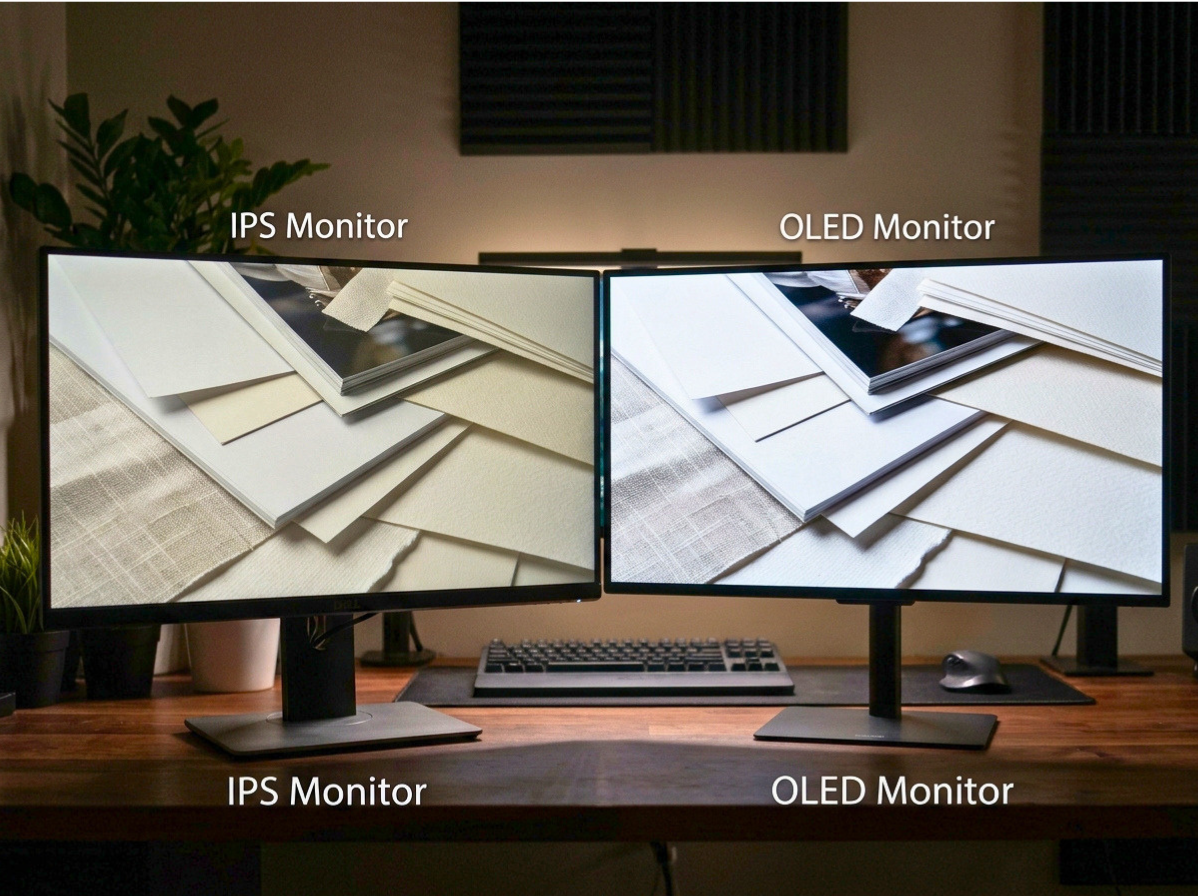
Different monitor technologies handle dark room performance differently. Understanding these differences helps in selecting the right settings.
| Technology | Dark Room Performance | Key Characteristic |
|---|---|---|
| IPS | Moderate | Excellent color accuracy but prone to IPS glow. |
| VA | Good | Higher native contrast ratios for deeper blacks. |
| OLED | Excellent | Perfect blacks due to individually lit pixels. |
Practical Steps for Setup
Beyond monitor settings, the environment plays a significant role in how your eyes perceive contrast. Follow these steps to optimize your workspace:
- Bias Lighting: Place a soft LED strip behind your monitor. This light reflects off the wall, reducing the contrast between the bright screen and the dark surroundings.
- Ambient Light Control: If possible, use dim, indirect lighting rather than complete darkness to minimize the harsh transition for your eyes.
- Software Solutions: Utilize operating system features like Windows Night Light or macOS Night Shift to automatically adjust color warmth based on the time of day.
Limitations and Trade-offs
While lowering brightness and contrast improves comfort, it may come at a cost to color accuracy. Graphic designers and video editors should be aware that aggressive dimming can make it difficult to distinguish between subtle shades of grey or dark colors. If you perform color-critical work, consider using a hardware calibrator to ensure your display remains accurate even at lower brightness levels.
Conclusion
Optimizing your monitor for a dark room is a matter of finding the right balance between readability and comfort. By lowering your brightness, utilizing bias lighting, and adjusting color temperatures, you can significantly reduce eye fatigue. Always remember that your eyes are the final judge; if you feel strain, continue to adjust your settings until the display feels natural in your specific environment.