Achieving the perfect visual experience when watching movies on a computer monitor requires more than just high resolution. While many users focus on brightness, contrast is the primary factor that defines the depth, detail, and overall quality of the image. Properly adjusting your monitor contrast settings ensures that dark scenes retain detail and bright highlights do not appear washed out.
Understanding Contrast and Its Role in Cinema
Contrast is defined as the difference in luminance between the brightest white and the darkest black that a display can produce. In the context of film, high contrast is essential for maintaining the director’s intended atmosphere. If your contrast is set too low, the image will appear flat and gray. If it is set too high, you may lose detail in the shadows, a phenomenon known as crushing blacks, where subtle textures in dark areas become indistinguishable.
Recommended Steps for Calibration
Before adjusting your monitor, ensure your room lighting is consistent. Ambient light significantly alters how your eyes perceive contrast. Follow these steps to calibrate your display:
- Reset to Factory Defaults: Start from a neutral baseline to avoid compounding errors from previous adjustments.
- Adjust Brightness First: Set your brightness to a comfortable level for your room lighting before touching the contrast slider.
- Use a Calibration Pattern: Utilize online grayscale test patterns to ensure you can distinguish between different shades of gray.
- Fine-Tune Contrast: Increase the contrast until the brightest white patches are distinct, but stop before the whites begin to bleed into surrounding colors.
Comparison of Display Technologies
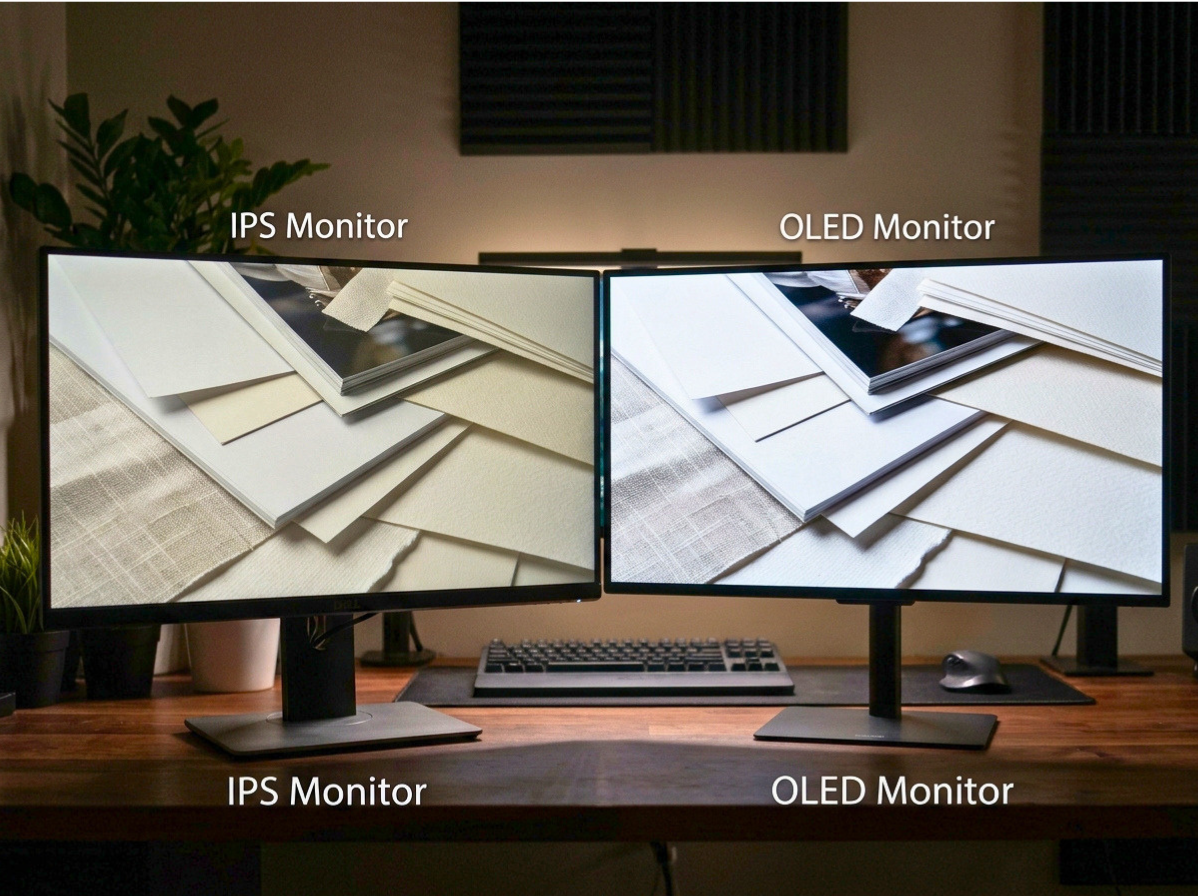
The effectiveness of your contrast settings depends heavily on the underlying display technology of your monitor. The following table outlines how different panels handle contrast:
| Panel Type | Contrast Performance | Best Use Case |
|---|---|---|
| IPS | Moderate | Color accuracy and wide viewing angles |
| VA | High | Movies and dark room viewing |
| TN | Low | Fast-paced competitive gaming |
| OLED | Infinite | Premium cinematic experience |
Common Pitfalls and Trade-offs
One common mistake is confusing brightness with contrast. Brightness controls the intensity of the backlight, while contrast controls the range between the darkest and lightest points. Increasing contrast too aggressively can cause color clipping, where the display loses the ability to differentiate between subtle color gradients, leading to banding artifacts in dark scenes.
The Impact of Ambient Light
Your environment dictates the ideal settings. In a bright room, you may need higher contrast to overcome glare. In a dark room, lower contrast settings are often more comfortable for the eyes and prevent the display from appearing overly harsh. Always aim for a balance that prevents eye strain during long viewing sessions.
Conclusion
Optimizing your monitor contrast settings is a straightforward process that yields significant improvements in movie clarity and depth. By starting with a neutral baseline, using reliable test patterns, and considering your specific display technology, you can create a more immersive cinematic environment. Remember to prioritize visual comfort and detail retention over extreme settings to get the most out of your display.